
The internet is quickly evolving at a rate that was not initially imaginable. We are practically talking about an incredible evolution, one that leads to most of the content we use actually being present online, as opposed to on computers.
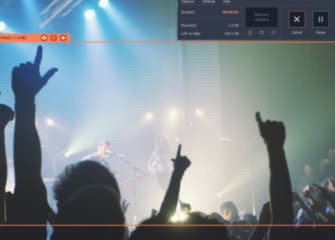
In the pasts, the use of MP3 files was the preferred way to store music. Nowadays, services like Spotify and iTunes let us listen to the music that we like wherever we are. This is definitely something that is great but what happens when you are offline and you do not have access to all the music you love. You can, of course, pay for everything or you could make an investment and use programs like Movavi Screen Recorder to make the YouTube or Spotify to MP3 conversion.
How To Use Movavi Screen Recorder
The principle behind the software is really simple. You use it in order to record everything that you see or hear on your screen. This does include audio content from all websites or apps. You can even record the audio you hear in video games or in movies.
In order to use Movavi Screen Recorder you just need to download it and run it. Then, you have to choose recording parameters. In this case you only want to record the audio that the computer registers. Select that, play the track you want on Spotify or any desired website and record it. Then, you can choose what format to save it in. MP3 is the preferred format since it can be used on literally any device you might want to.
Is It Legal To Record Audio?
This is highly debatable and the truth is that it is not easy to answer with a simple yes or no. If you have a paid Spotify account, there won’t really be a problem. Also, in the event that you record the audio of something that you have the license to or for a business meeting that you held, legality does not come into question. However, based on what country you live in, there might be some legal aspects you have to be aware of.

